Google Sheets Integration
Deliveryman AI allows you to import contacts directly from a Google Sheet.
This integration makes it easy to manage your leads in Google Sheets and sync them into your contact lists without exporting CSV files.
Steps to Import Contacts from Google Sheets
Prepare Your Google Sheet
- Open Google Sheets.
- Select the sheet that contains the contacts you want to import.
- Click the Share button in the top-right corner.
- Under General access, change the setting to Anyone with the link.
- Make sure the permission is set to Viewer.
- Copy the sheet link from the browser’s address bar.
This allows Deliveryman AI to access and read the sheet.
Create a Contact List in Deliveryman AI
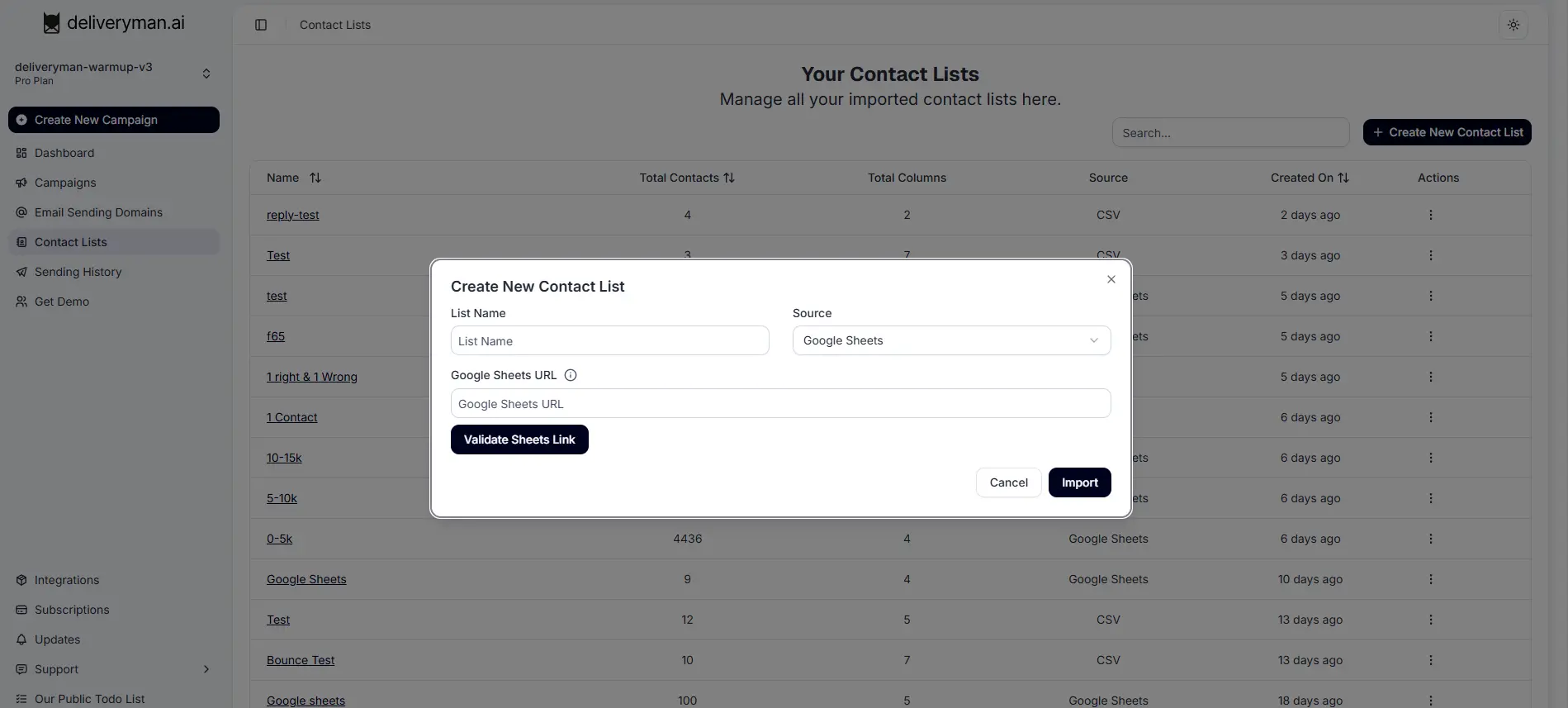
- Go to Contact Lists in the Deliveryman AI dashboard.
- Click Create New Contact List.
- Enter a List Name for your contact list.
- In the Source dropdown, select Google Sheets.
- Paste the copied Google Sheets URL into the field.
- Click Validate Sheets Link to verify the connection.
Once the link is validated, Deliveryman AI will read the sheet structure.
Map Your Fields
After validating the sheet, you will need to map the fields from your Google Sheet to the corresponding fields in Deliveryman AI.
-
Match each column in your Google Sheet to the appropriate field in the platform.
-
Ensure that the Email field is mapped correctly, as this field is required for importing contacts.
-
Map any additional fields such as:
- First Name
- Last Name
- Company
- Website
- Custom fields
Once the mapping is complete, proceed with the import.
Import Contacts
After field mapping is finished:
- Click Import.
- Deliveryman AI will process the Google Sheet and create the contact list.
- Your contacts will then be available for use in campaigns.
Important Notes
- Your Google Sheet must have “Anyone with the link” access enabled.
- The sheet must include a valid Email column, as it is required for sending campaigns.
- The first row of your sheet should contain column headers.
- Avoid duplicate or invalid email addresses in the sheet.